

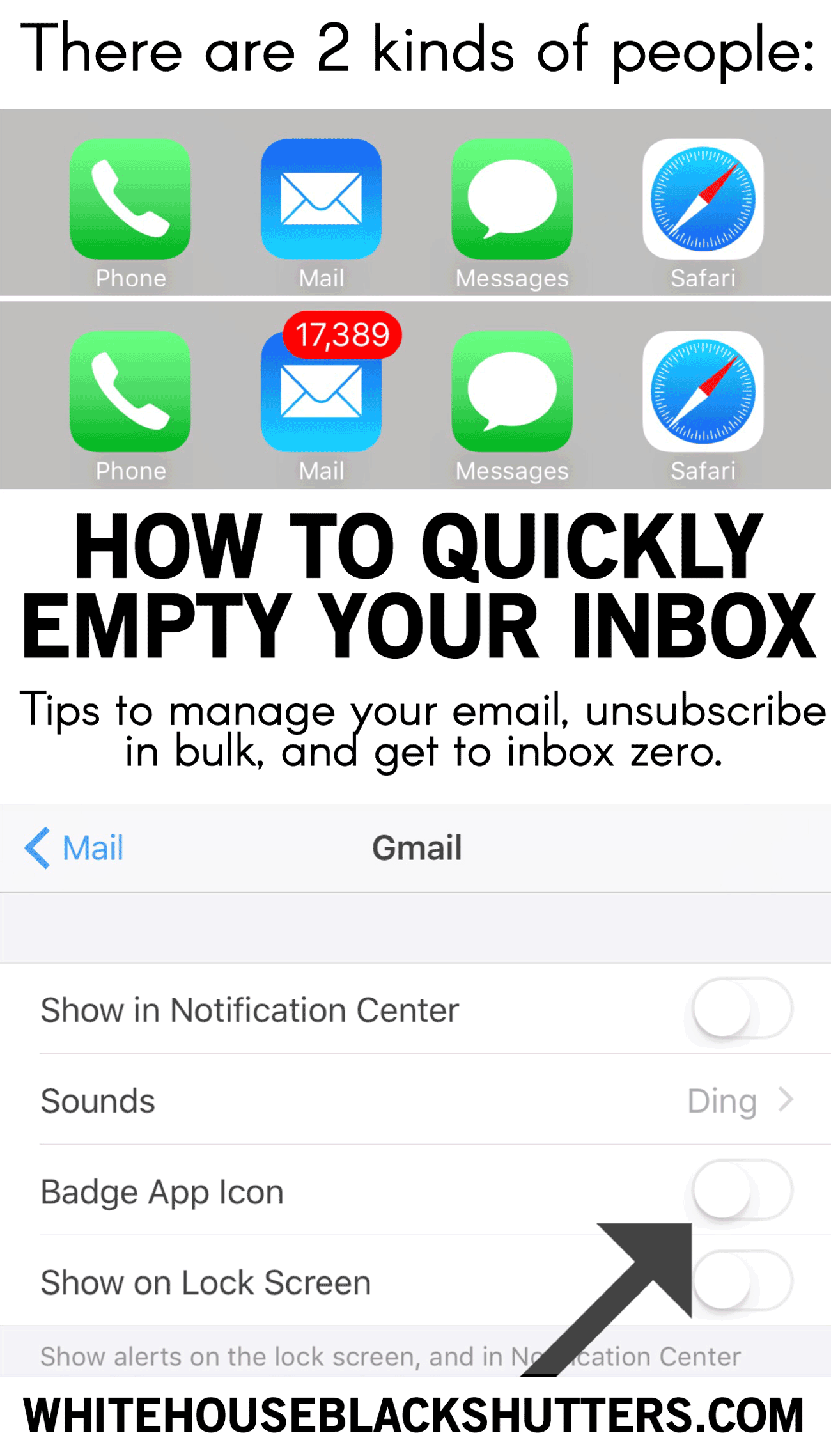
There are 2 kinds of people in this world. I'm the second but working to become the first. Getting to inbox zero is a goal for many, myself included. I'll show you how to quickly "empty" your email inbox and get rid of that pesky number.
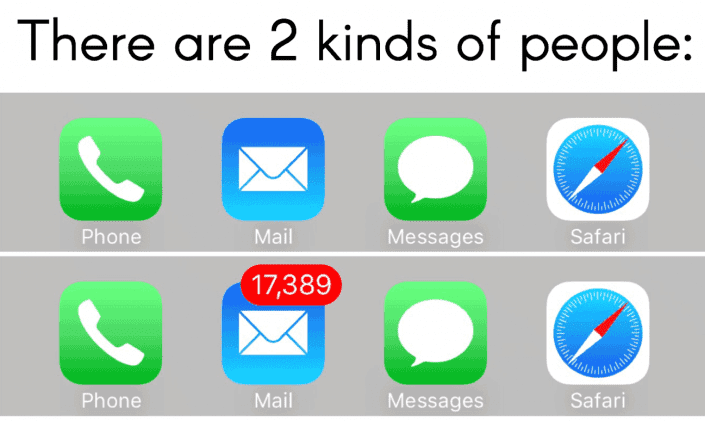
Quickly "Empty" The Number of Unread Emails on your phone:
This method simply gets rid of the red notification number staring you in the face. 13,872 unread emails? How about we turn that into zero. Go to Settings > Notifications 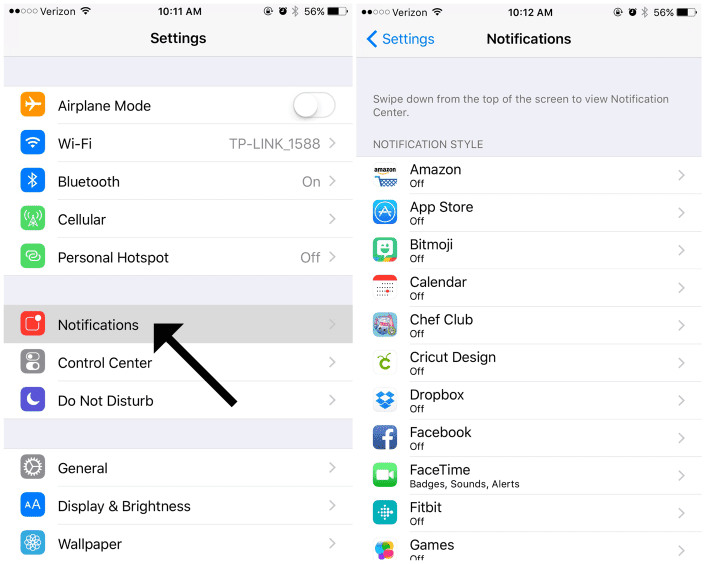 From that screen go to Mail, then turn "Allow Notifications" off. So what did you just do? You turned off all notifications for email, including the "badge app icon," the pesky red circle taunting you with the large number. Ahh, it almost feels freeing not having that number staring me in the face! 🙂
 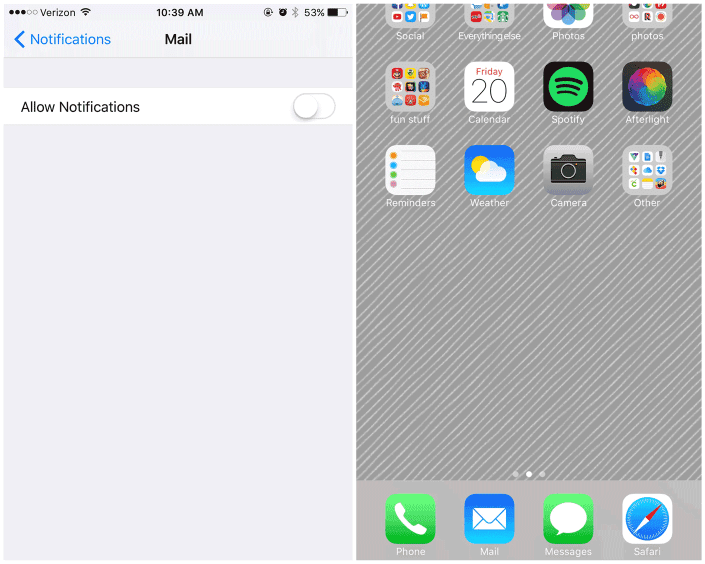 If you want to keep your notifications on but don't want the number displayed, here's how. Hit "allow notifications", select your email account and turn off the Badge App Icon. I have all email notifications turned off, since I've found them to be distracting. Maybe try it and see how you feel? You might be surprised at how much less you look at your phone.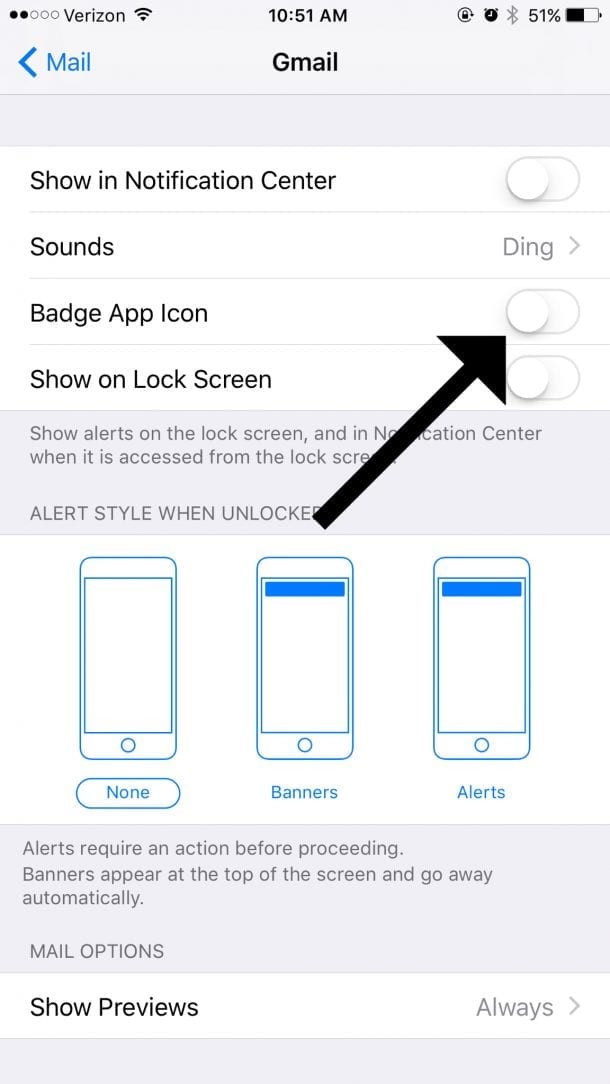
Getting to Inbox Zero for Real
- I use unroll.me to bulk unsubscribe from emails. They give an option to roll subscriptions you still want into a daily or weekly email. I found it was another email left unopened and later unsubscribed. 🙂
- Your iPhone now has an option to unsubscribe to emails. When you open an email where you are on a mailing list, there will be an option to "unsubscribe" under the sender's email.
- I like archiving my emails on my desktop. Does this truly get you to inbox zero? No, but this avoids the accidental delete. On gmail, there is an option to "archive all."
Or my favorite option:
Chip away at it little by little. Set a timer for 5 minutes, delete/archive, and come back later for another 5 minutes. Or use your precious bathroom time or commercial breaks to delete emails, I don't judge. 🙂
What about you? Are you the first type or the second?


Mavis
Thank you for turning me on to Unroll.me. Just need to get around to deleting the bazillions emails already in my account. Made some headway during the 40 Bags in 40 Days Challenge but still have a long way to go.
Lisa
I'm a number 2 person, but it really doesn't bother me. I just try to skim through and catch the new ones every couple days, and I just let it be.
Leah
brilliant! I feel so much calmer now!
Julie Bresette
unroll.me is awesome! Thank you for sharing.
Ann Marie Heasley
You're welcome! It is a great service.
Maryann Stahl
I tried Unrollme, but was very confused. Is there some kind of tutorial on how to use it? I have over 24k emails (unread) between my 3 email accounts. Most are junk. I keep getting new email accounts thinking it's easier. Now, it's just overwhelming!! I am not very good with computers and technology.
Thank you for sharing 🙂
M
melissa
Another quick clean strategy:
Search in your email for the word "unsubscribe".
This will filter through any subscription (junk) emails. Then delete! You're never going to read them!
Ann Marie Heasley
I would never have thought about that! Thank you, Melissa! I'll be trying it on my own inbox.